UX/UI Case Study

Ophir - Jewerly Shop App

ROLE

UX/UI Designer

EXPERTISE

UX/UI Design

YEAR

2022
Project description

Project description

Project description

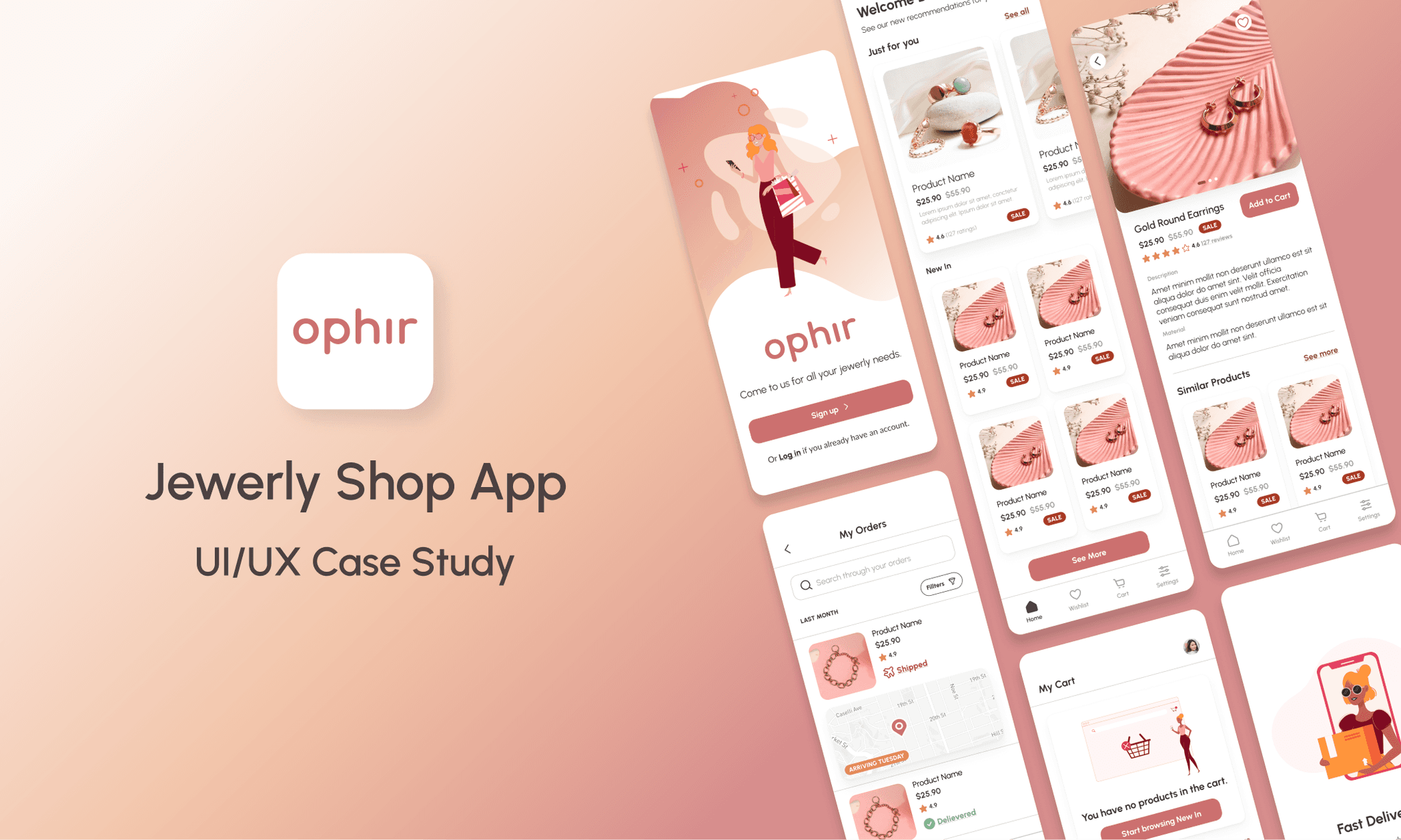
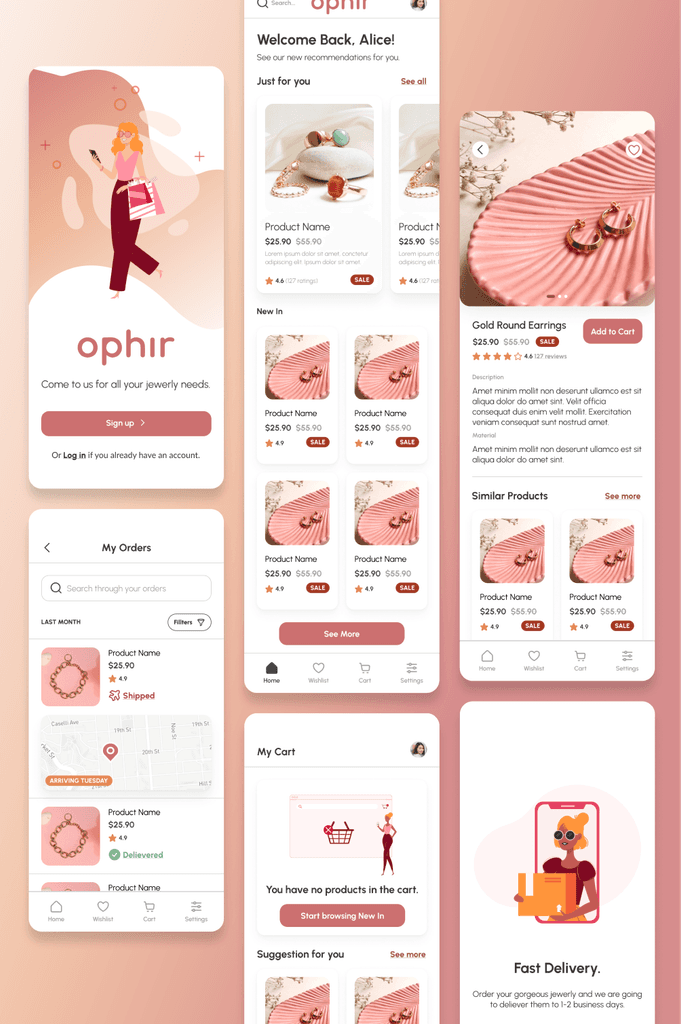
Ophir is a jewelry app that offers huge varieties of all kinds of designs and suitable for all occasions. The app is individually connected to the user and offers special offers and finds based on interests. In addition to this, it has a wide variety of articles related to jewelry and ways to combine it.

Timeline

The project was completed over the course of 3 months, from initial research and wireframes to final designs.

The Problem

The Problem

The Problem

People often waste time searching for the perfect jewelry by visiting multiple physical shops, only to find limited options or none at all, forcing them to browse clothing stores in search of accessories. In physical stores, there’s no way to check customer feedback, making it harder to evaluate the quality or popularity of a piece, and it can feel uncomfortable when a salesperson is watching your every move. If you find a piece you like, you may feel pressured to buy it right away, since it could be sold out by the time you return.
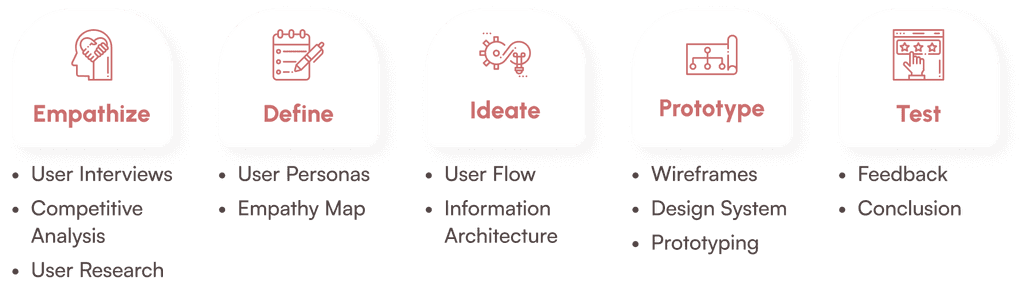
Design Process

Design Process

Design Process

Emphathize

The result is an app that delivers a comprehensive fitness solution, combining individual workout plans with community-driven motivation. Balance Bliss equips users with the necessary tools to track their progress and stay on top of their fitness goals, no matter their level of experience.

Qualitative Research

6 people aged between 14 and 32 with different status and lifestyle were interviewed. Some of them would be potential users of this type of jewelry app, while for others it is a new concept of shopping.

After analyzing the responses of the survey participants, the following conclusions can be reached - Most shop for jewelry on a special occasion and find it difficult to choose jewelry in the physical store, because the selection is either small or not everything is displayed. Another problem that occurs is that people feel pressured when the seller is watching their every action. The main thing that worries them in switching to using a mobile app for jewelry is whether it will be easy and accessible enough, and whether they will have security of orders and payments.

Quantitative Research

An online survey was conducted using Google Forms to analyze the similarity of views and functions that potential users would like. In total, there were 37 participants in the study.

After analyzing the results obtained from the survey, it is clear that the mass have used or would use a mobile application for shopping. It is important to note that a large percentage of respondents find it difficult to use applications and this is the reason why the main goal is a clean and user friendly design

Competitive Analysis

A mandatory step is to research the competitive market to analyze its strengths and weaknesses while extracting the necessary information for the creation of a new product.

The competitors in the market offer a mix of strengths and weaknesses. Some have both a mobile app and a website, providing users with secure order options and categories for easier product navigation, though their interface design may feel outdated and lack innovation. Others excel in having well-organized menus, promotional pop-ups, and useful product filters on their websites, yet they don't offer a mobile app, limiting user access. Additionally, there is a common issue of not including images that show how the jewelry fits, which could improve the shopping experience for customers.

Emphathize

The result is an app that delivers a comprehensive fitness solution, combining individual workout plans with community-driven motivation. Balance Bliss equips users with the necessary tools to track their progress and stay on top of their fitness goals, no matter their level of experience.

Qualitative Research

6 people aged between 14 and 32 with different status and lifestyle were interviewed. Some of them would be potential users of this type of jewelry app, while for others it is a new concept of shopping.

After analyzing the responses of the survey participants, the following conclusions can be reached - Most shop for jewelry on a special occasion and find it difficult to choose jewelry in the physical store, because the selection is either small or not everything is displayed. Another problem that occurs is that people feel pressured when the seller is watching their every action. The main thing that worries them in switching to using a mobile app for jewelry is whether it will be easy and accessible enough, and whether they will have security of orders and payments.

Quantitative Research

An online survey was conducted using Google Forms to analyze the similarity of views and functions that potential users would like. In total, there were 37 participants in the study.

After analyzing the results obtained from the survey, it is clear that the mass have used or would use a mobile application for shopping. It is important to note that a large percentage of respondents find it difficult to use applications and this is the reason why the main goal is a clean and user friendly design

Competitive Analysis

A mandatory step is to research the competitive market to analyze its strengths and weaknesses while extracting the necessary information for the creation of a new product.

The competitors in the market offer a mix of strengths and weaknesses. Some have both a mobile app and a website, providing users with secure order options and categories for easier product navigation, though their interface design may feel outdated and lack innovation. Others excel in having well-organized menus, promotional pop-ups, and useful product filters on their websites, yet they don't offer a mobile app, limiting user access. Additionally, there is a common issue of not including images that show how the jewelry fits, which could improve the shopping experience for customers.

Emphathize

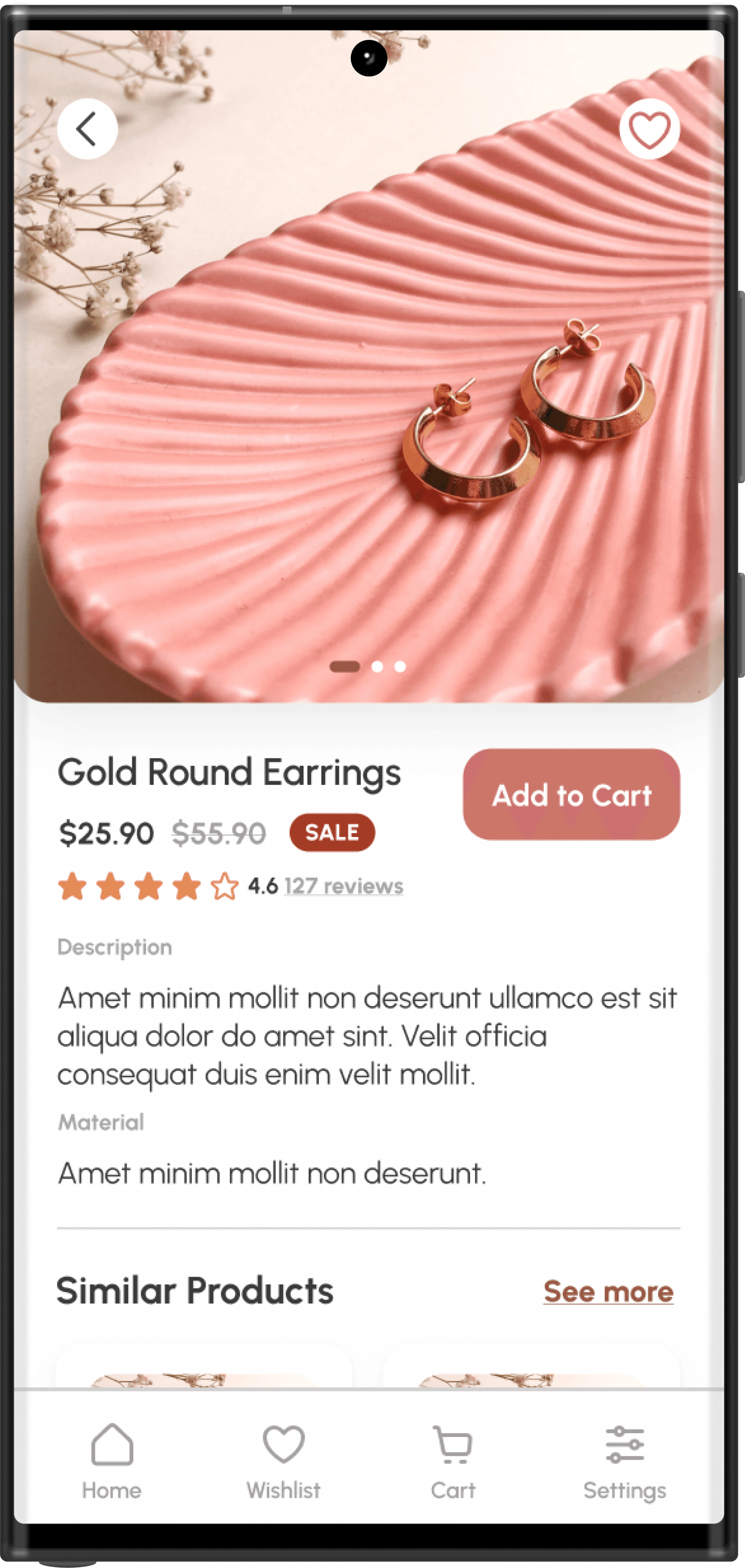
The goal is to make an app that offers many varieties of jewelry, customizing the user experience and allowing to save favorite ones. In addition to this, each piece of jewelry has a description of the materials used as well as reviews of other users. Product filtering is also available, which in turn allows for quicker and easier viewing of items.

Qualitative Research

6 people aged between 14 and 32 with different status and lifestyle were interviewed. Some of them would be potential users of this type of jewelry app, while for others it is a new concept of shopping.

After analyzing the responses of the survey participants, the following conclusions can be reached - Most shop for jewelry on a special occasion and find it difficult to choose jewelry in the physical store, because the selection is either small or not everything is displayed. Another problem that occurs is that people feel pressured when the seller is watching their every action. The main thing that worries them in switching to using a mobile app for jewelry is whether it will be easy and accessible enough, and whether they will have security of orders and payments.

Quantitative Research

An online survey was conducted using Google Forms to analyze the similarity of views and functions that potential users would like. In total, there were 37 participants in the study.

After analyzing the results obtained from the survey, it is clear that the mass have used or would use a mobile application for shopping. It is important to note that a large percentage of respondents find it difficult to use applications and this is the reason why the main goal is a clean and user friendly design

Competitive Analysis

A mandatory step is to research the competitive market to analyze its strengths and weaknesses while extracting the necessary information for the creation of a new product.

The competitors in the market offer a mix of strengths and weaknesses. Some have both a mobile app and a website, providing users with secure order options and categories for easier product navigation, though their interface design may feel outdated and lack innovation. Others excel in having well-organized menus, promotional pop-ups, and useful product filters on their websites, yet they don't offer a mobile app, limiting user access. Additionally, there is a common issue of not including images that show how the jewelry fits, which could improve the shopping experience for customers.

Define

Define

Define

Persona

Based on the taken data an example of persona was created.
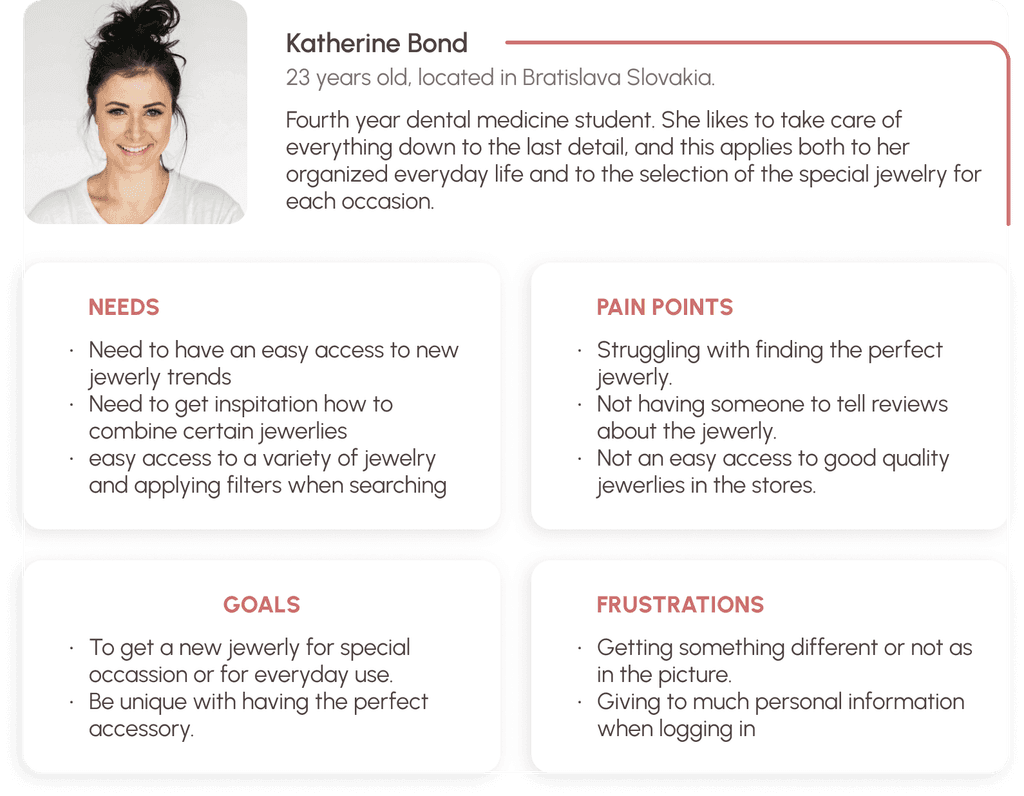
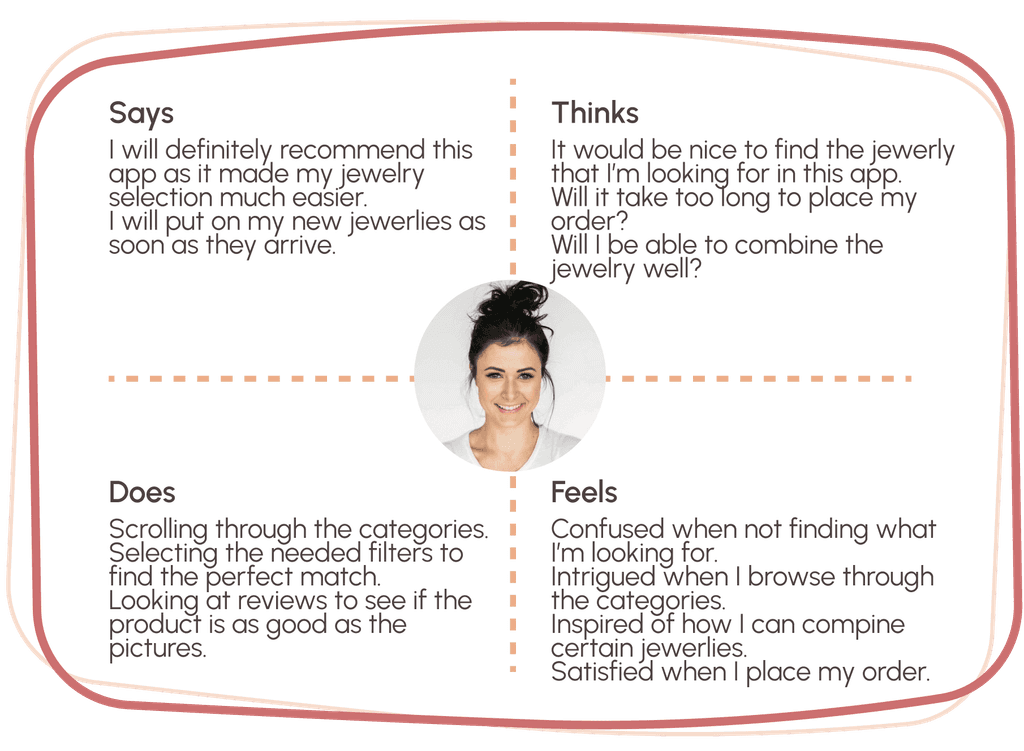
Empathy map

It was created to be able to deeply understand the problems and emotions of the user when visiting the application and to try and find their solutions.

Ideate

Ideate

Ideate

User flows

User flows were created in order to better understand the direction that a new user would take.


The user flows in the jewelry mobile app guide users through key actions, such as registering for the app, searching for specific jewelry, and making a purchase. The registration flow involves a simple step-by-step process to create an account, while the search flow allows users to easily find and filter products. Finally, the purchasing flow takes users from reviewing their cart to securely completing their order and receiving confirmation. These flows ensure a smooth and intuitive user experience from start to finish.

Information architecture

Information architecture

The information architecture of the jewelry mobile app outlines the core structure and navigation paths. Users begin with onboarding and can either sign up or log in to access the home screen. From the home screen, they can search for products, view their profile, explore new arrivals, browse categories, manage their wishlist, access their cart, or change settings. Each section provides further options, such as filters for search and categories, order management within the profile, and secure checkout from the cart. The structure is designed to provide an organized and intuitive flow through the app's features.

Prototype

Low-fidelity wireframes

Low-fidelity wireframes were created to represent the main path of the application usage. After the wireframes were made, they were given to a group of people to test and give feedback on the app's functionality and layout. Information was extracted that served to improve the developed UI design, which was implemented in the final prototype.

The low-fidelity wireframes depict the main functionalities of the app. The product page features big frames for recommended items based on user experience, allowing users to swipe through images of the jewelry. The "Add to Cart" button encourages users to explore more products. Reviews can be seen and written for each item. The app also includes a newsletter section for inspiration on how to combine jewelry.

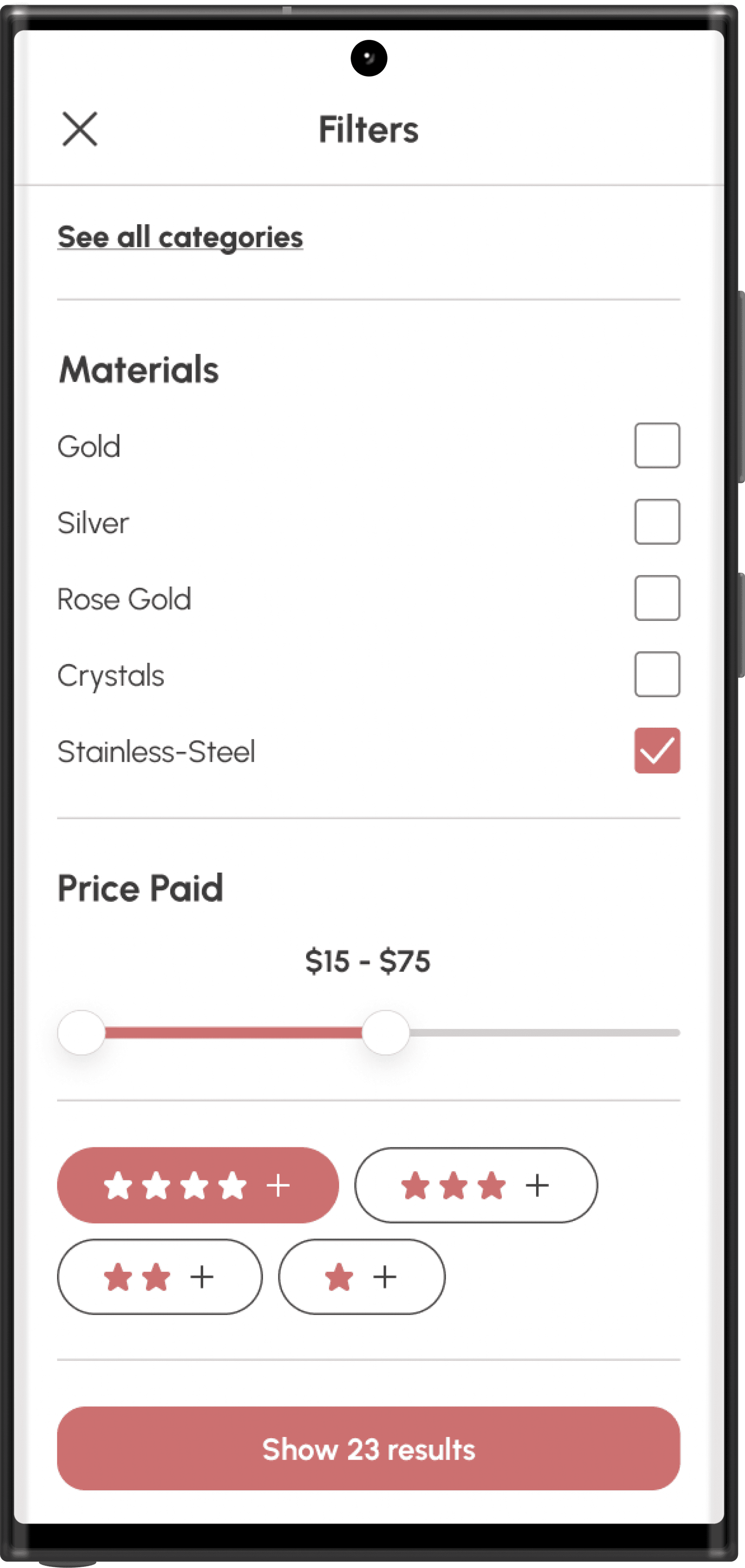
In the search results, users can apply filters and view suggested combinations of items. The wishlist allows for easy product management.

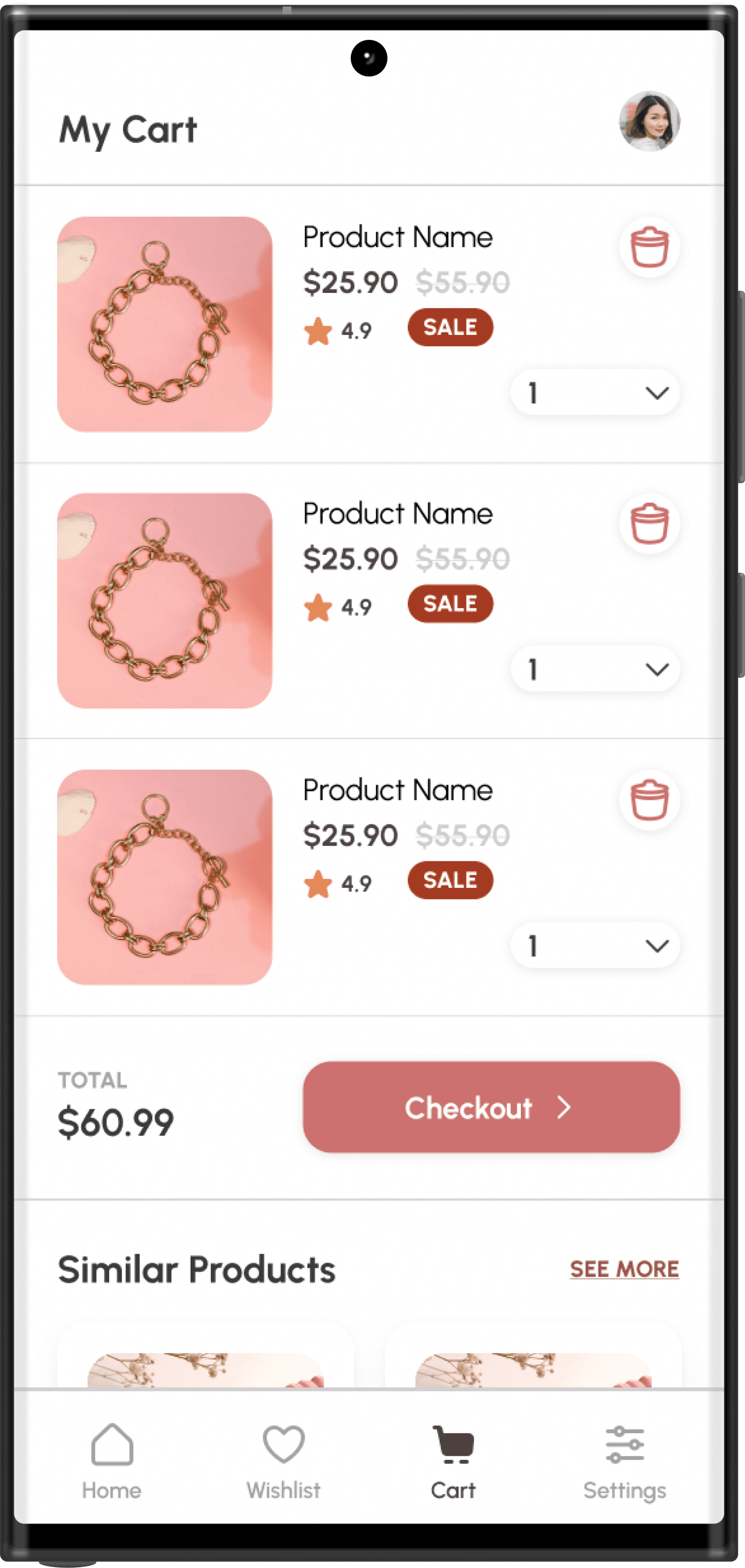
In the cart and checkout process, users can adjust product quantities, remove items, and review their order details. Changes in the payment UI design were implemented for a smoother final order process, and a section displaying similar products was added to encourage further exploration before completing the purchase.

Design System

The design system is one of the most important part of the design of an app. It represets the style and the feelings that the app is supposed to contribute with itself.
The chosen style for the final product contains a girly style with pastel colors and accents which corresponds with the main purpose of the app - to have a catchy design that grabs the user and keeps their attention.

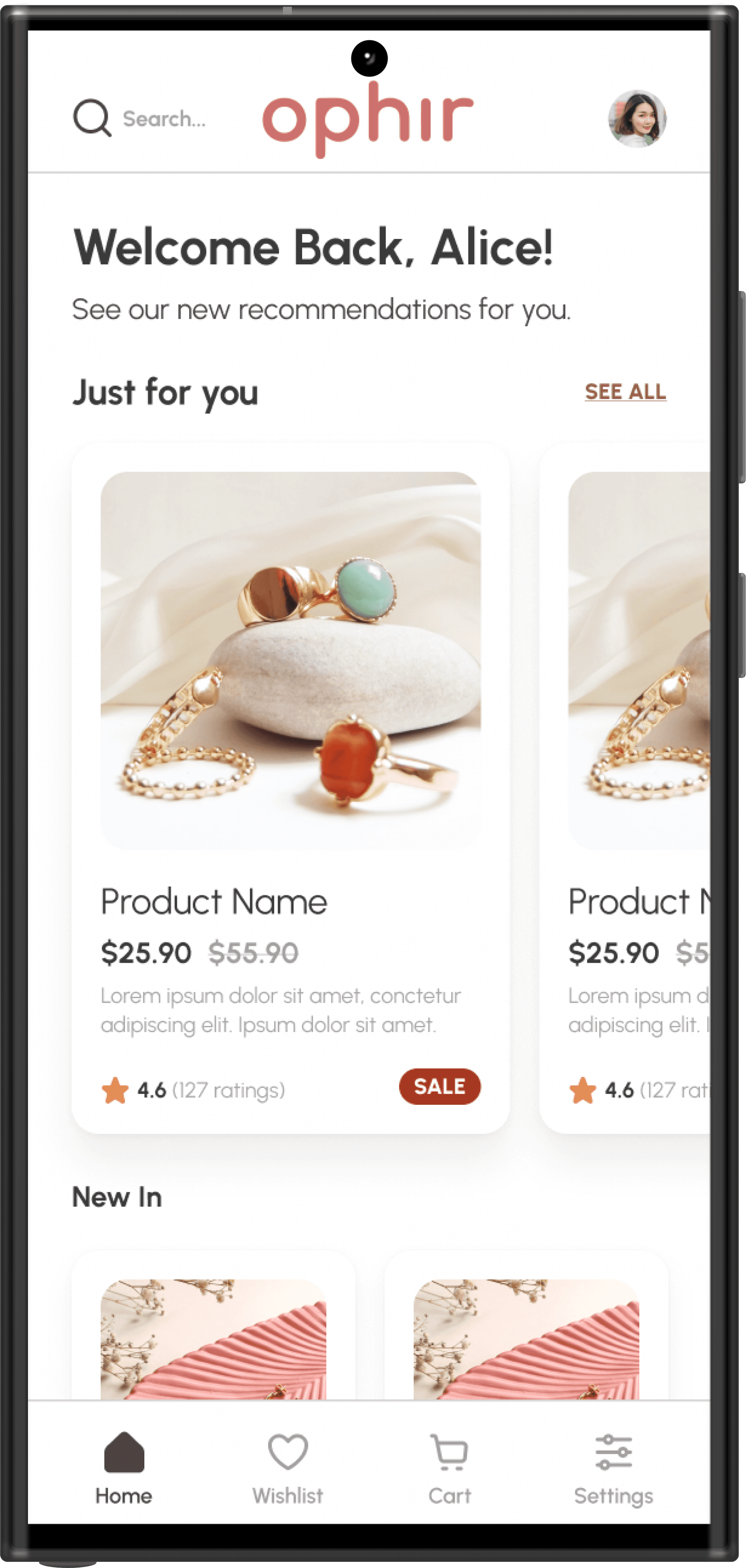
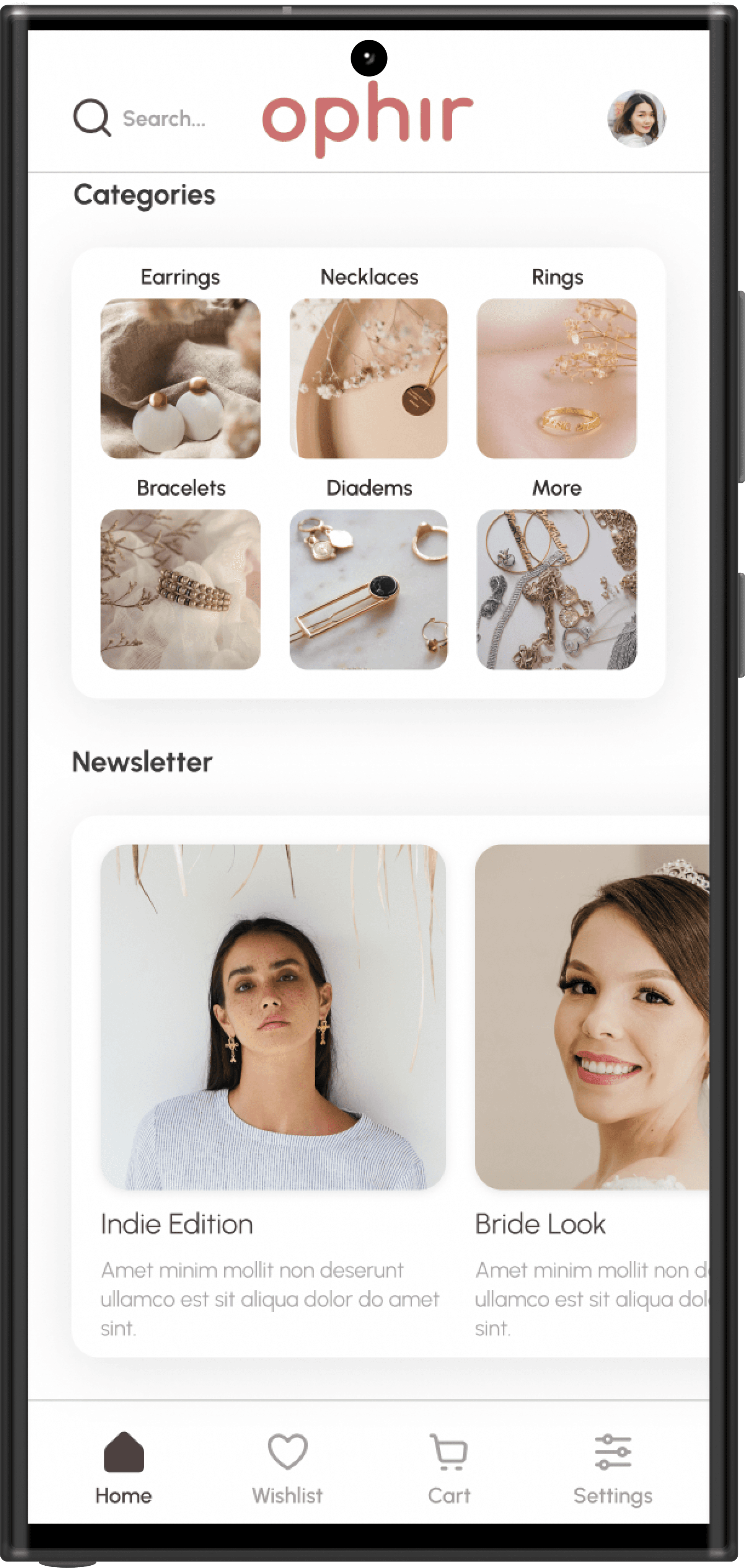
High-Fidelity Prototype

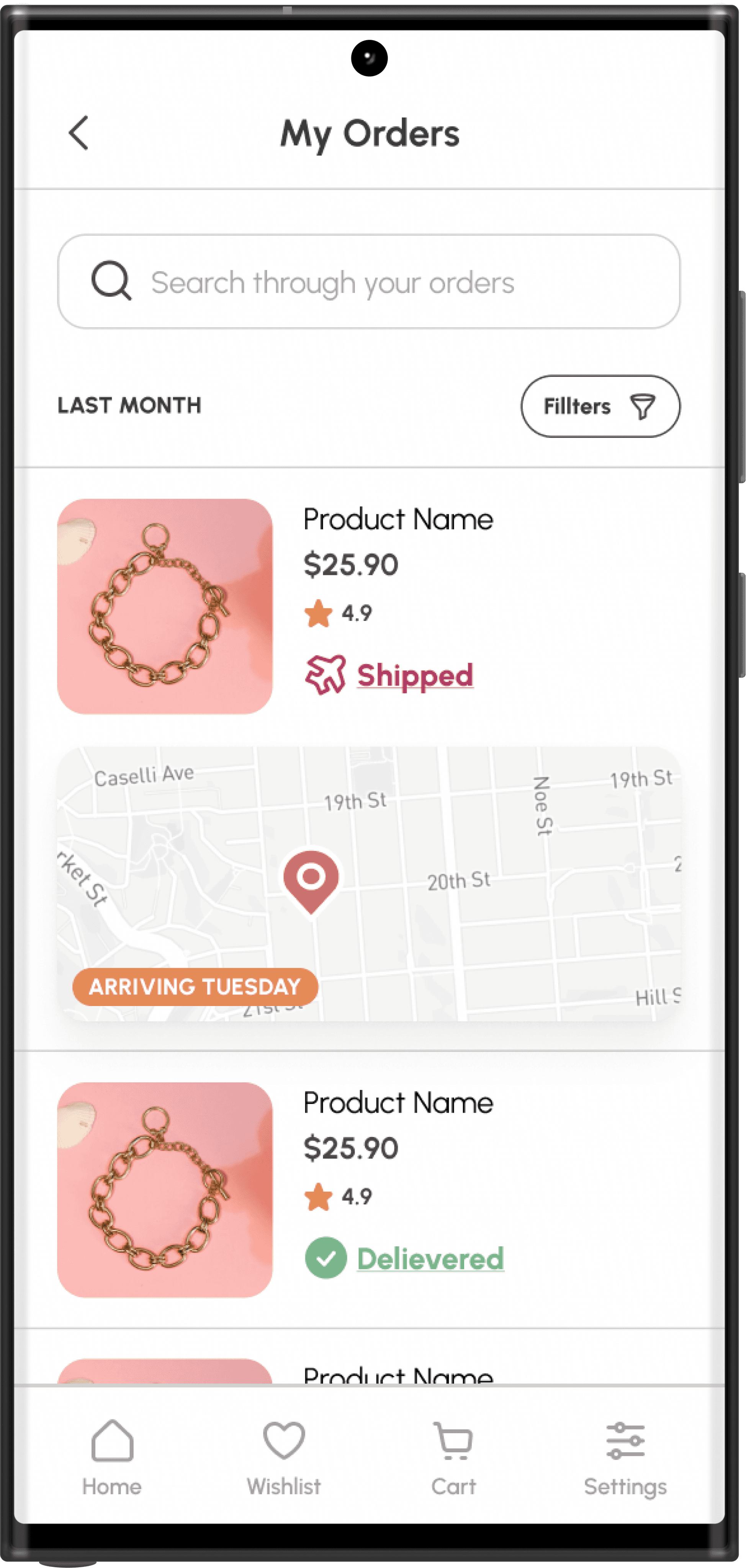
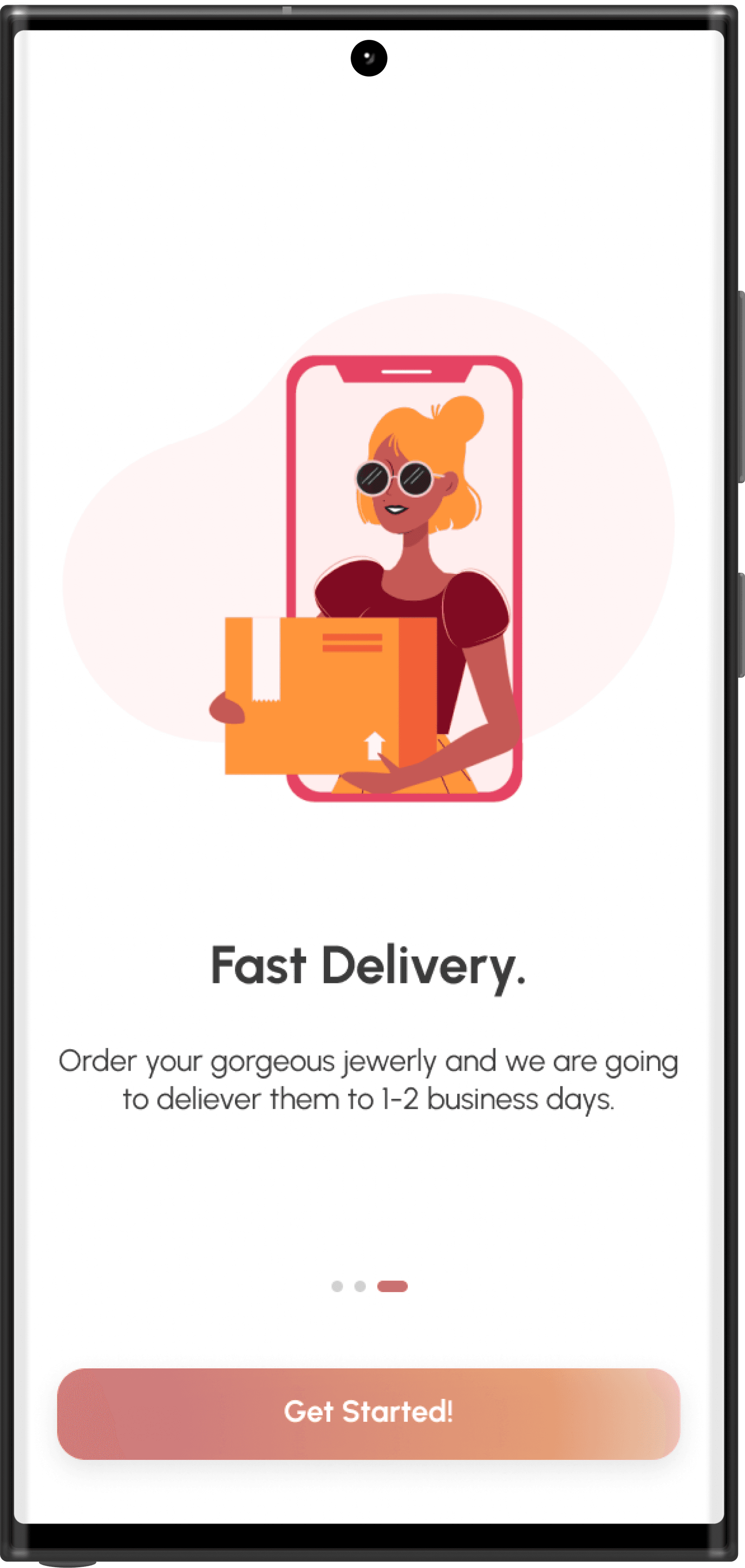
Based on the user research, the analysis and testing the final prototypes of the jewerly app were created.
Feedback

Feedback

Feedback

Conclusion

Тhe app is perceived by testers as easy, accessible and eye-catching. Future development concepts are focused on adding more custom menu options as well as creating animations to accompany the unfolding actions.